
A food video can make its point with a curl of steam, a close view of pastry layers and a table ready for breakfast. You do not need floating ingredients or a camera flying through a croissant. This exercise uses ImagineArt to build three related stills, animate each separately and cut them into a 13-second vertical Reel.
The subject is a fictional café serving hot black coffee and a plain butter croissant. For a real café promotion, begin with photos of the food and portions actually served. The prompts and shot timing below are original suggestions, not results of an ImagineArt workflow test. Official workflow instructions were checked September 9, 2026.
Contents — jump to a section
Decide what the viewer should notice in each shot
The three pictures have different jobs. Show heat first, texture second, and the complete serving last. Keep the table, cup, plate and light direction consistent so the cuts feel like one breakfast.
| Final edit | Main subject | Dominant movement | Caption idea |
|---|---|---|---|
| 0–4 seconds | Hot coffee in a cream cup | A faint curl of steam | “Coffee first” |
| 4–8 seconds | Croissant layers | Very short camera slide | “Then the first bite” |
| 8–13 seconds | Cup and croissant together | Slow, shallow camera push | “A quiet start” |
The captions are mood lines for this fictional exercise. A real store name, location or opening time should come from the business, not the image prompt.
Create the serving before the close-ups
In ImagineArt's Image Studio, select an available image model such as Flux 2 Pro. Set 9:16 and use the same model for the initial scene experiments. The Create Image documentation describes model selection, image settings, prompt input and downloading the chosen result. ImagineArt is the platform; the model is the generator selected inside it.
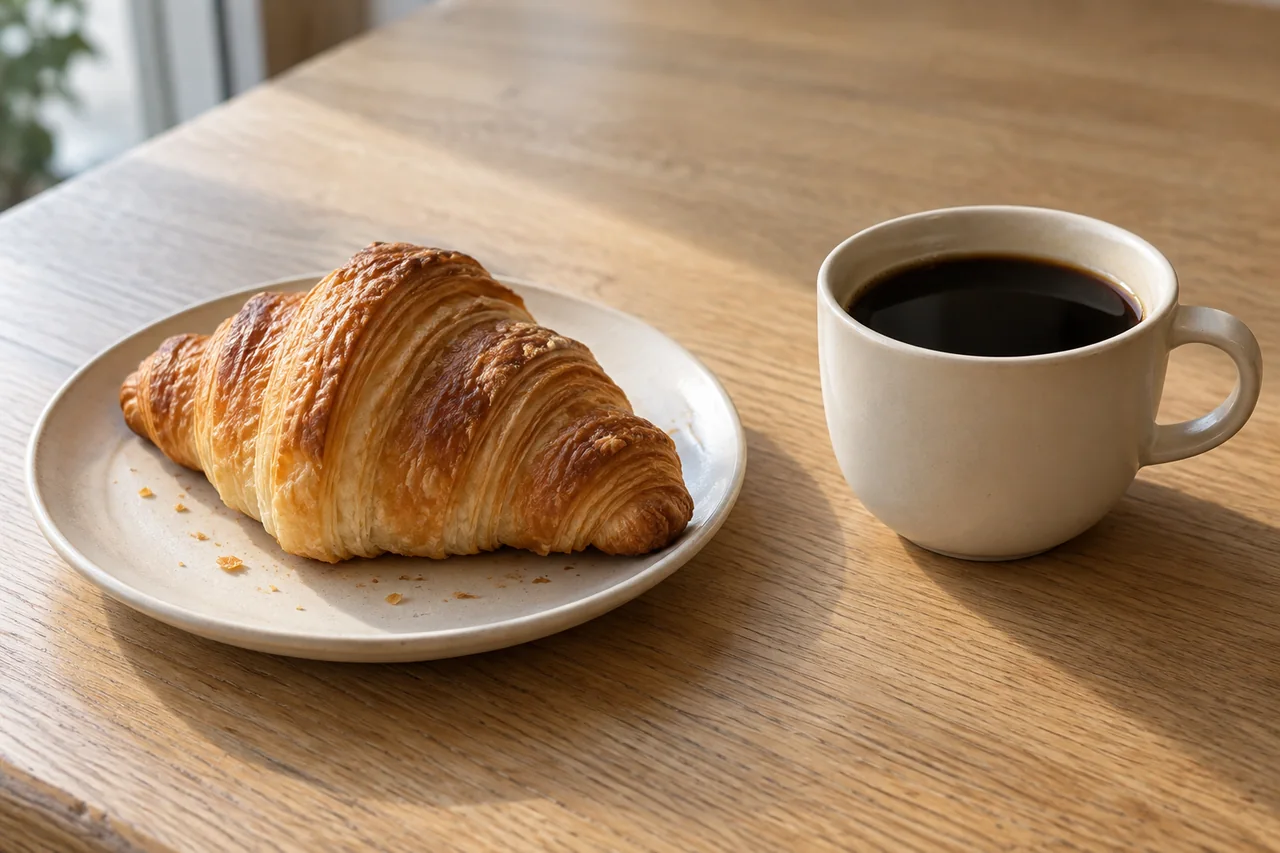
Paste this into the image prompt field. For the first pass, leave the automatic prompt enhancer off if offered so you can see what your own instructions do.
Still prompt — the breakfast arrangement
A plain butter croissant on a small ivory ceramic plate on the left, beside a cream ceramic cup of hot black coffee on the right with its handle pointing right. Both sit on a pale oak cafe table near a window. Soft morning light comes from the left, gentle shadows fall right. The croissant has crisp irregular layers and a dry golden crust; the coffee has a dark surface without foam. Three-quarter tabletop view, natural food photography, enough depth of field to read the whole serving. Leave empty tabletop in the upper part of the vertical composition. No utensils, hands, packaging or writing.Save a candidate only when the croissant has plausible layers, the plate rim forms one continuous curve and the cup has one handle. Keep the cup to the same side of the plate in every image. If an AI version gives your real croissant a filling or doubles its size, go back to the actual food photo.
Make two closer views from that same scene
First try ordinary crops of the approved scene: one around the coffee and one around the pastry. Keep them vertical. If the crop is too soft or cramped, use ImagineArt's Edit Mode, attach the approved full scene and request one new framing. The Image Edit guide documents this reference-plus-edit-prompt route with models including Nano Banana. Treat a new view as another candidate to inspect, not an exact reconstruction.
Still edit prompt — coffee close-up
Create a closer view of the same cream coffee cup from the reference scene, keeping its handle on the right and the same pale oak tabletop. The cup contains the same hot black coffee, without milk or foam. Keep the left-side morning light and an ivory plate softly visible at the left edge. The cup rim is sharp and forms one continuous ellipse. Leave some dark background above the cup for a faint steam trail.Still edit prompt — pastry detail
Create a close view of the same plain butter croissant on the same ivory plate from the reference scene. Keep its original shape, dry golden crust and visible flaky layers. Use the same soft morning light from the left and pale oak tabletop. The cream cup is softly out of focus at the right edge. Focus on the front layers of the croissant. No cut, filling, glaze or added garnish.Compare the three images side by side before creating video. If the coffee becomes milky or the plate changes color, correct the still; a video instruction should not have to repair food continuity while also animating it.
Animate one short clip per image
Open Video Studio and choose Starting Frame, the current name documented for ImagineArt's image-to-video input. Upload one approved still for each separate generation. Set 9:16, select a short supported duration and keep the same video model across the three shots. The Starting Frame guide explains image upload and model-dependent settings.

Kling 3.0 Pro is one documented starting-frame option with vertical output; select it if available in your account, or another model whose controls explicitly accept your image. Check the displayed total before each generation: ImagineArt's video-credit documentation distinguishes a model's base charge from the total for your settings. This guide does not assume free access or a fixed budget.
Motion prompt — steam above the coffee
Use the coffee close-up as input and paste this in the video prompt box.
A very faint wisp of steam rises from the hot coffee and slowly disperses into the air. The cup, handle and liquid surface remain stable. The camera is locked. Soft window light remains constant. One continuous quiet close-up.Motion prompt — show the pastry layers
Use the pastry detail image as input. Keep the requested slide short; the model should not need to reveal the hidden back of the croissant.
The camera slides a very small distance to the right at constant speed, revealing a little depth between the front pastry layers. The croissant, plate and crumbs remain completely still. Keep the same left-side light and realistic dry crust texture. One continuous close-up.Motion prompt — finish on the complete serving
Use the full breakfast still as input.
The camera makes one slow, shallow push toward the breakfast arrangement. The cup, coffee and croissant remain stationary in their original positions. Keep the tabletop, plate shape and morning light unchanged. End with the whole serving still visible. One continuous shot.For the first two clips, choose a supported duration of at least five seconds and trim to four clean seconds. The ending needs five usable seconds, so choose at least six generated seconds where available to leave room for trimming. If fewer than five seconds survive, fill the remainder with a hold on the last clean frame. Keep only footage that preserves the food's shape.
When steam looks like smoke, change one thing
Dense steam can hide the cup or turn a quiet breakfast into something that looks burnt. Replace the steam prompt with the following, using the same coffee image and settings.
Repair prompt — less steam
A nearly transparent thread of warm vapor appears briefly above the coffee and fades immediately. The coffee remains calm and the entire rim stays clearly visible. The camera, cup and lighting are fixed.If it still resembles smoke, remove that effect and use a slow scale change on the still in your editor. For a drifting plate, remove the camera slide. For oily pastry, return to the image and specify a dry crust. These are different faults; changing the model, lighting and prompt together makes it harder to know what helped.
Add captions, sound and the final cut
Import the three selected clips into a 9:16 timeline. Cut from coffee to croissant after four seconds, then to the full serving after eight seconds. Use straight cuts first. If a clip begins with a strange settling movement, trim its head rather than covering it with a flashy transition.
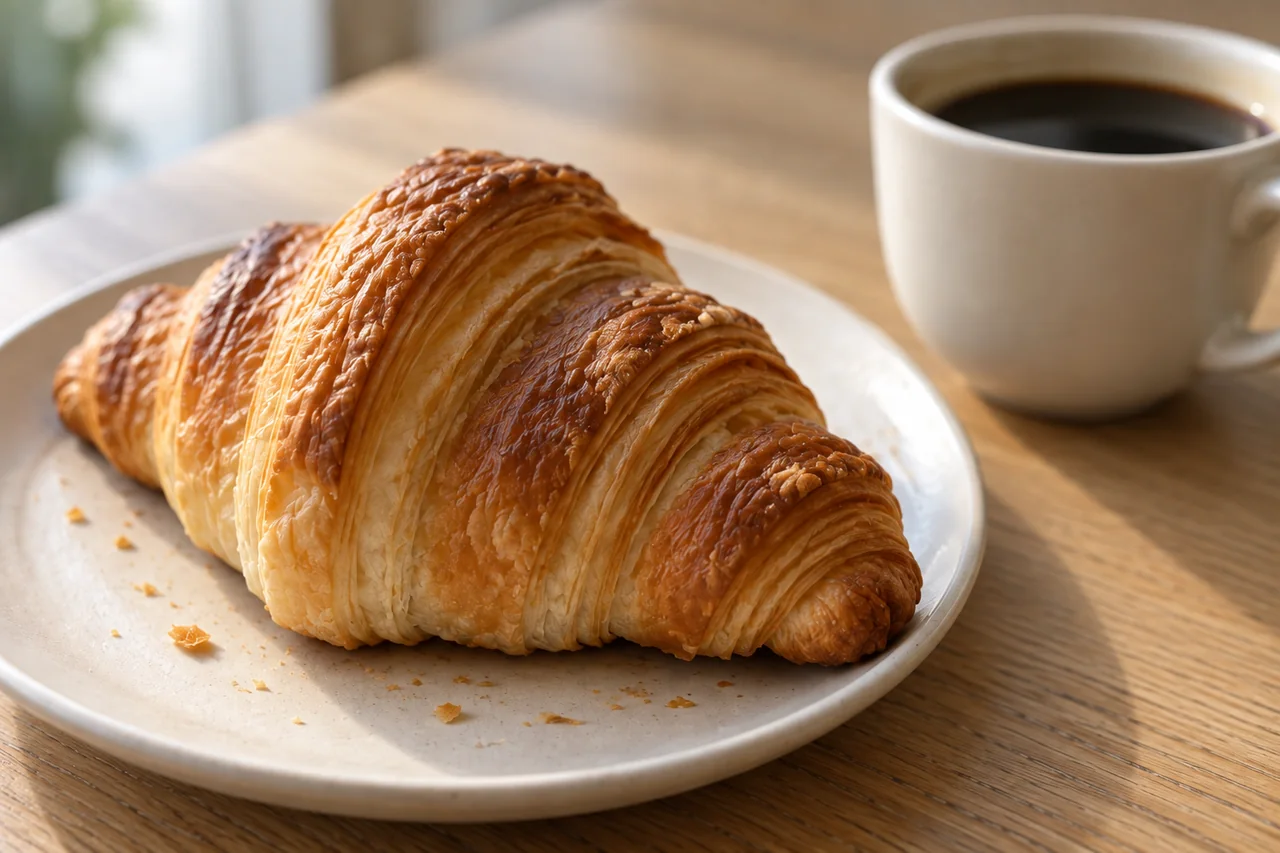
Add the table's captions as ordinary text layers, one short line per shot. For a Thai audience, translate and proofread those lines in the editor; keeping them out of the generated image lets you repair spelling and line breaks without regenerating video. Place text in the empty area and check that the social app's on-screen controls will not cover it in preview.
Add a continuous café room tone from your own recording or a sound you can use. A loud crunch belongs with an actual bite, which this sequence never shows. Keep any music low enough that it does not mask the room's quiet character. Mute unwanted model-generated audio before adding the sound bed.
Export a vertical MP4, using 1080 × 1920 when the source resolution permits. Check the file on a phone: the pastry should look dry and crisp, the coffee should remain black, and each caption should be readable without pausing. Save the three stills beside the finished video so a later menu change does not require rebuilding the scene from memory.
Three useful decisions for the next version
Can I add a hand pouring coffee?
Yes, as a separate shot with a source image that already shows the vessel and intended pouring angle. This introduces liquid flow and hand contact; finish the simpler sequence before adding that challenge.
Can I reuse the same prompt for iced coffee?
Change the still and remove steam. Condensation and ice should match the drink you actually serve. Keeping a steam prompt on an iced drink creates a visual contradiction.
Should every shot move?
No. A sharp still with a good crop can sit between two motion shots. Use movement where it reveals heat, texture or space. For packaged food where the label must remain exact, use the product-photo video workflow and keep the original packshot available.
Browse the image and video tool finder if your current service lacks starting-frame input.
Sources
Official instructions checked September 9, 2026. ImagineArt outputs, credit use and account access were not tested.