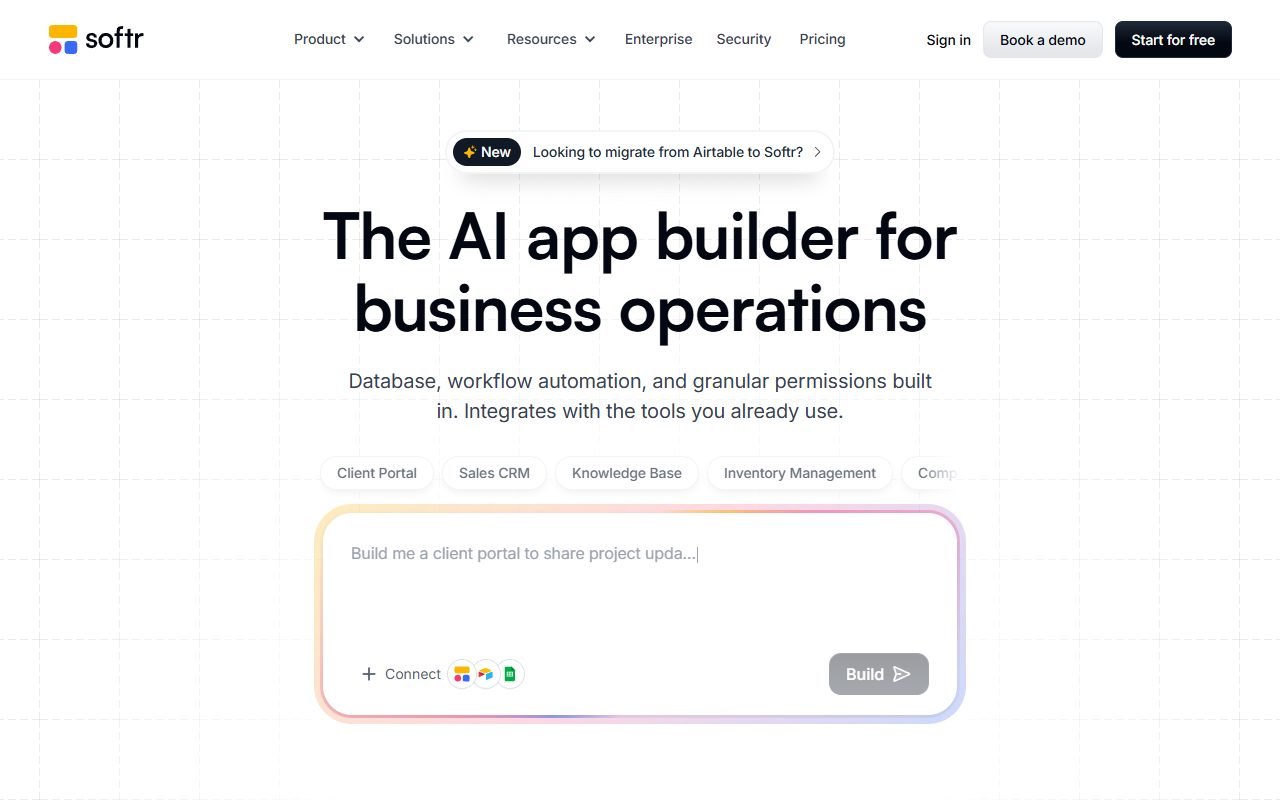
Softr is a candidate for operations teams with data in Airtable, Google Sheets, SQL, or another supported source that need a client portal, directory, or internal tool without building the entire frontend.
Check user and record limits, permission granularity, and plan costs as the team grows. Test separate role accounts to establish whether each sees only the intended records. The information was checked on 1 August 2026; PickByTask has not tested a real deployment.
Contents — jump to a section
What Softr reduces work
Users can combine block/list/detail/form with data sources, organize user groups and visibility so that each person sees relevant information, thus starting portals faster than custom apps. Work that requires very specific logic, offline/native behavior, or complex transactions should be compared to Bubble/Glide and tested first.
Price and architecture cost
pricing divided by users, apps, records/features and team controls which can be changed. Cost includes data source, automation, email and domain. Having a Free plan does not mean you can use it in your organization without hitting limits.
 Visit Softr ↗
Permission, ownership and security
You must test visibility and record-level access separately. Do not rely on hiding the UI for authorization. Check connector credentials, user invitation, export/delete and data residency in official docs/security/terms. The data is also subject to the agreement of both Softr and the data source.
External reviews
G2, Capterra, GetApp, Software Advice, Product Hunt, Trustpilot, TechRadar and NoCode.Tech praised the setup, templates and portal use cases. With customization, pricing/user limits, advanced logic and mobile behavior Gartner pages shared, the review pool is not fully independent.
Workflow Scenario: Client Portal that prevents information from leaking across companies
Create a consulting company fixture with 20 Client Companies, 3 user roles, and 1,000 Request records. Clients can see only their company's records, Staff can see the work they are responsible for, and Admin can see everything. Start with the data schema/relationship and set up user groups, page visibility, and record filters, layer by layer.
Test by copying the detail URL of Company A and opening it in the session of Company B, changing the query string, using search, and calling the connector when the authorization expires. If the UI hides the button but the data is still loaded into the browser, assume that the authorization did not pass. Then temporarily close the data source, check for errors/retry, and see if resubmitting the form creates a duplicate record.
Visit Softr ↗Blocks, Data Sources and Permissions
| Layer | help with anything | Things to check |
|---|---|---|
| Blocks | Assemble list/detail/form quickly | empty/loading/error, responsive and a11y |
| Data source | Use the information your team has. | sync latency, quota, schema change, credential scope |
| User groups | Divide experience by role | invitation, deactivation and guest path |
| Record restrictions | Limit data per user | direct URL/API/search/cache leakage |
| Workflows/actions | Change status/notification | retry, idempotency and audit trail |
| Custom domain/branding | Deliver portal to customers | plans, DNS, cookies and ownership |
Refer to Softr data-source docs and user-group docs for current capability, but use role tests as evidence that the fixture is secure.
Pricing/TCO: User is not the only cost.
| Cost layer | variable |
|---|---|
| Softr plan | app, users, user groups, records/features |
| Data source | Airtable/Sheets/SQL plan, API quota and sync |
| Automation | Make/Zapier/webhook operations |
| Communication | email/SMS/provider volume |
| Admin | invitation, permission review, stale accounts |
| Exit | data export, UI/workflow rebuild and DNS |
Check Softr pricing every 30 days and create a scenario of 25, 100 and 500 users. Don't compare from starting price because The role/record/feature that the portal requires can be pushed to another tier. External review price is used only in historical context.
Review Synthesis and Negative Signals
Product Hunt/NoCode.Tech reflects an early no-code workflow, G2 and Gartner-owned pages have feedback from business users, but Capterra/GetApp/Software Advice may share the pool. TechRadar provides editorial walkthroughs and Trustpilot points out billing/support dissent.
Positive themes are that portals from existing data are fast and templates reduce starting from scratch. Negative themes are customization ceiling, user-based cost, permission learning, and mobile limitations. Importantly, by “simple” we usually mean basic list/form, not multi-tenant authorization via attack path.
Security, Privacy and Data Controller Boundary
Data may flow through both Softr and Airtable/Sheets/SQL and automation providers. Teams must maintain a processor inventory, limit connector credential read/write as necessary, disable public share links, and set up deprovisioning. When a member leaves, check form upload, personal data in logs, retention and deletion across systems.
Softr Security describes provider controls but does not certify the customer's own schema/filter. Do not automatically label provider compliance as portal compliant.
Visit Softr ↗Ownership, Export and Recovery
Even though the source data may reside in an organization-controlled system, the UI configuration, block mapping, permissions, and workflow are still tied to Softr. Exit rehearsal requires exporting data/attachments, document page/block rules, recreate auth/domain, and estimating frontend rebuilds. Test backup/restore of upstream sources separately from app configuration.
Decision Matrix
| Requirement | Fit |
|---|---|
| Client/member portal from structured data | High when permission test passes |
| Internal CRUD/dashboard | High to medium according to logic |
| Complex transactional workflow | Bubble/custom app might be more suitable. |
| Mobile field app/offline | Glide or native solution should be compared |
| Full source-code ownership | Shouldn't assume |
| Multi-tenant sensitive data | Requires strict authorization/security review |
Verdict and choice
Choose Softr when the data is already structured and portal permissions are simple. Choose Glide when a data-driven mobile-like app is desired, or Bubble when the workflow/data model requires deep customization. Internal links: /compare/softr-vs-glide/, /compare/bubble-vs-softr/
Additional FAQs
Using Airtable, is your data automatically secured according to Softr?
No, you need to check the rights of both Softr, Airtable base/token and automation in between.
Can multiple users be supported in one portal?
There are user groups/data restrictions as planned, but direct-record access and deprovisioning need to be tested with actual fixtures.
If the data source changes the field name, what will happen?
You must simulate schema changes, check block mapping, workflow, and error monitoring before committing to production.
FAQ
Is Softr free to use?
There is a Free tier under user/app/feature limits according to pricing.
Does it support per-user rights?
There are user groups/visibility and data restrictions as planned, but actual record access must be tested.
Is it a native app or not?
Don't conclude from a mobile appearance; Check output/install/offline requirements separately.
What kind of information should I start the pilot with?
Use a simulated data set with at least two companies and multiple user rights. To test both normal items direct-record URL, search, export and member withdrawal Don't start with real customer data just because the homepage is quick to set up. Records which layer each filter is enforced on, who holds connector credentials, and how the upstream schema changes and how the system is notified. If you can't answer these three questions, limit the pilot to non-sensitive data until all rights are tested.