
If you have invented a small board game but explaining the first turn takes longer than playing it, make a one-page quick-start card. The project is a useful first AI exercise because you can compare every instruction with rules you already control. AI should reorganise the rules, not become the game designer by accident.
Canva lists writing and design tools; ElevenLabs lists text-to-speech. You can consider the former for the card and the latter for an optional spoken introduction. The two tasks can be handled separately; no automatic integration is assumed. Canva · ElevenLabs
Contents — jump to a section
Make a tiny source game
For this fictional exercise, two players each receive three numbered cards. On a turn, a player places one card face up. The higher number earns one point; a tie gives neither player a point. After three turns, the player with more points wins; equal totals are a draw.
Keep that source paragraph beside the draft. It intentionally does not include special powers, trading or a tie-break round. Those are new rules, even if a model thinks they would improve the game.
Ask for a card a first-time player can use
Turn the supplied original rules into a one-page quick-start.
Use these headings: What you need, Setup, Your turn, Scoring, End.
Preserve every number and the draw rule.
Do not add strategy, extra components or new actions.
After the card, list any instruction that the source does not specify.
[Paste the rules.]
A good scoring line would say, “Higher card: one point. Equal cards: no point.” “Winner takes both cards” would be an unsupported addition. Reject it rather than updating the source silently.
Build the first version in five steps
- Separate the source into components, setup, turn actions, scoring and ending. Flag a missing instruction before drafting.
- Ask for the short version and compare it sentence by sentence with the source.
- Lay out the five sections on one page. Keep the scoring numbers large enough to check during play.
- Let a new player set up and play one turn using only the card. Observe where they hesitate without immediately explaining.
- Revise that exact instruction, then repeat the same first-turn test. Change the source rules only if you deliberately want to change the game.
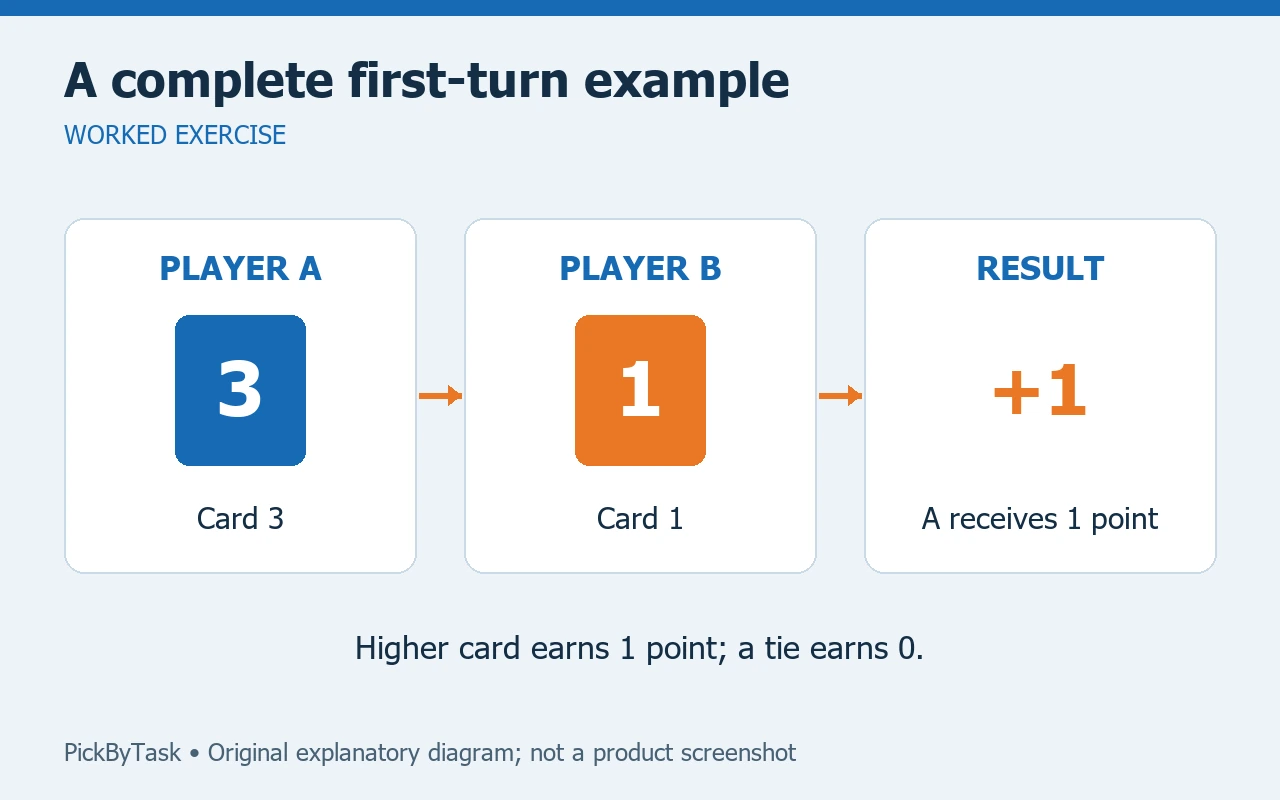
A simple worked example belongs beside scoring: Player A shows 2 and Player B shows 3, so B receives one point. Do not use an illustration whose card values disagree with the example.
Add audio only if it solves a problem
An optional spoken introduction can explain setup while players handle the cards. Write it after the printed version is correct. Keep the printed rules available because listeners need to revisit numbers at their own pace. If you experiment with generated audio, use an allowed voice and check that it says all numbers and the draw rule correctly.
The first version needs only your original rules and an editable document. Plan roughly 45–60 minutes for drafting and one short play check, as an estimate. AI access, exports and audio usage may have account limits; check them before paying. Recording yourself reading the instructions is a valid fallback.
Know when to stop
The card works when a new player can set up, play a turn, assign a point and identify the ending without receiving an extra rule from you. Save the card's version next to the game rules so later changes do not create two different games. A future extension could add a second example, not a longer decorative introduction.
This is an original proposed exercise, not a completed playtest or evidence of generated-audio quality. Product roles were checked against the linked pages on 2026-09-14. For the broader writing-tool decision, see our writing and research guide.