
A polished AI demo gives you a reason to investigate a tool. It does not tell you how much correction your own work will need. Before committing to a subscription or rebuilding a workflow, repeat a small task with inputs you control and keep every result, including failures.
This guide proposes a simple evaluation for a design or narration task. It reports no measured tool scores. Canva lists writing and design tools, while ElevenLabs lists text-to-speech; their official pages establish those product roles, not the outcome of this exercise. Canva · ElevenLabs
Contents — jump to a section
Choose one result you can judge
For a design example, ask for a readable event card containing a supplied title, date and location. For narration, use a short script containing ordinary words, a fictional name and a number. Use text you have permission to process, and keep the original unchanged.
Pick the task that resembles your work. A beautiful landscape image tells you little about a tool's ability to preserve event details; a fluent English voice does not establish Thai pronunciation quality.
Write down three acceptance checks before generating anything. For the card, these might be correct details, readable text at the intended size and no invented sponsor. For narration, use preserved wording, intelligible names and no omitted number.
Fix the starting conditions
Save the exact input, prompt, language and available settings. Record the account tier and date because available controls may vary. If a setting is not shown, write “not shown” instead of guessing a model version.
Use a prompt such as:
Produce the requested output using only the supplied material. Preserve all names, dates and numbers. Do not add claims or endorsements. If a required detail is absent, identify it instead of filling it in.
You will still need to check the output. The instruction itself is not proof of accuracy.
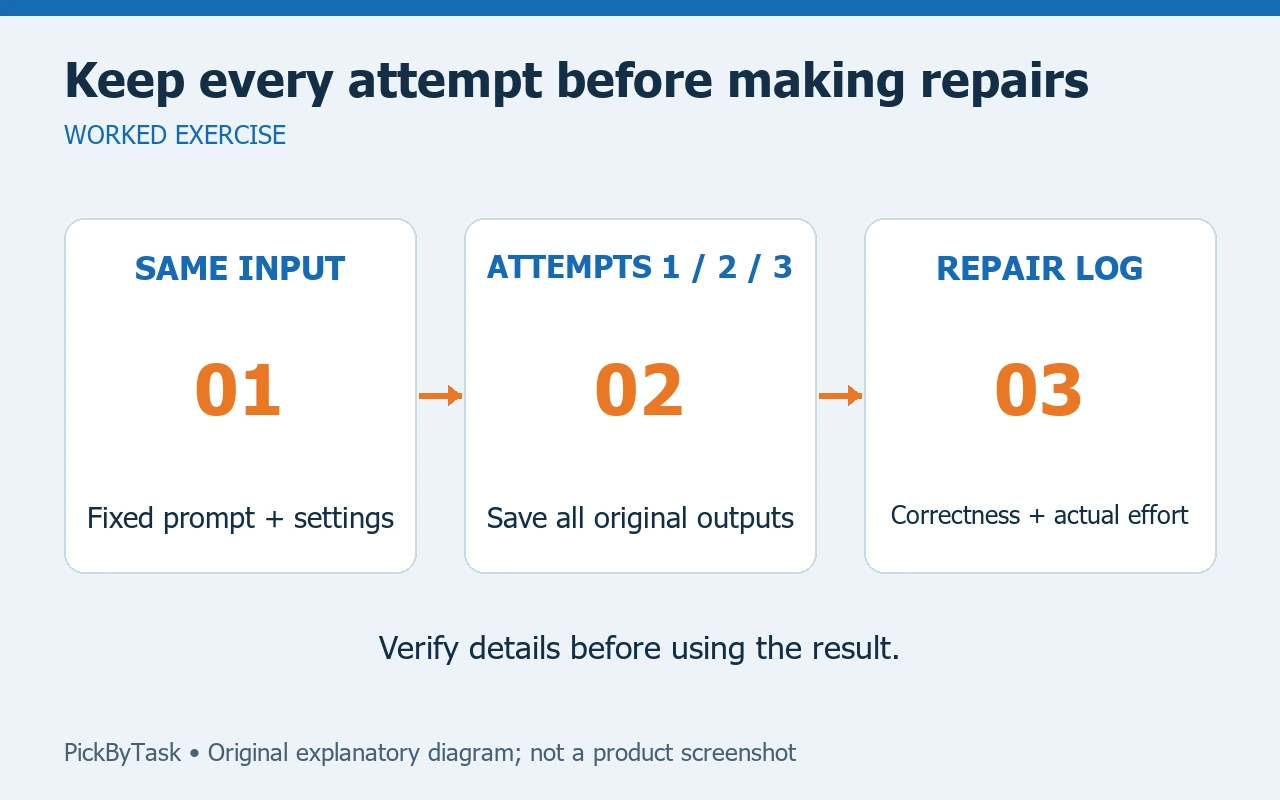
Keep repeated attempts separate from repairs
Generate the same task three times where your account permits it. Save all three original outputs before correcting anything. A small sample can reveal inconsistent behavior, but it cannot establish a reliable population-wide success rate.
For each output, mark each acceptance check as pass, fail or uncertain. Record the correction required and the time actually spent. Keep a regenerated output linked to its original so that the best version does not erase the work needed to obtain it.
If account limits prevent repetition, record the restriction. Do not buy extra capacity just to complete this example; you can compare a smaller sample and state the limit.
Change one input after the baseline
Once the first set is recorded, change one meaningful detail: a longer event title, another language or a second number in the script. Keep the other conditions as close as possible.
This tells you more than repeatedly adjusting a prompt until one attractive result appears. If you change the input, prompt, settings and tool at once, you cannot tell which change affected the result.
Compare usable work and total effort
A useful log contains input ID, attempt, checks, repairs, elapsed time and any observed account charge. Separate actual charges from an advertised plan price; do not invent a per-output cost when the billing information does not support one.
Choose your next step from the record. Continue if the outputs fit your real task with manageable repairs. Narrow the task if failures cluster around one requirement. Stop if the correction burden outweighs the benefit. A result can suit one language or format and still be unsuitable for another.
See the Canva guide and ElevenLabs guide for product context. Provider pages were checked on 14 September 2026. Popularity and a single demonstration are research leads; your recorded examples are the evidence for your own workflow decision.