Fotor is worth evaluating for repeat product images, social posts, or portraits that need nearby adjustment, background-removal, retouching, and template tools. A defined task, such as removing a background and preparing three product-image sizes, makes a useful trial.
Compare specialist tools if you need detailed non-destructive editing, layered handoff, or print color control. Check credits and asset rights before commercial use. This assessment uses information recorded on 1 August 2026, not testing by PickByTask.
Contents — jump to a section
What work does Fotor cover?
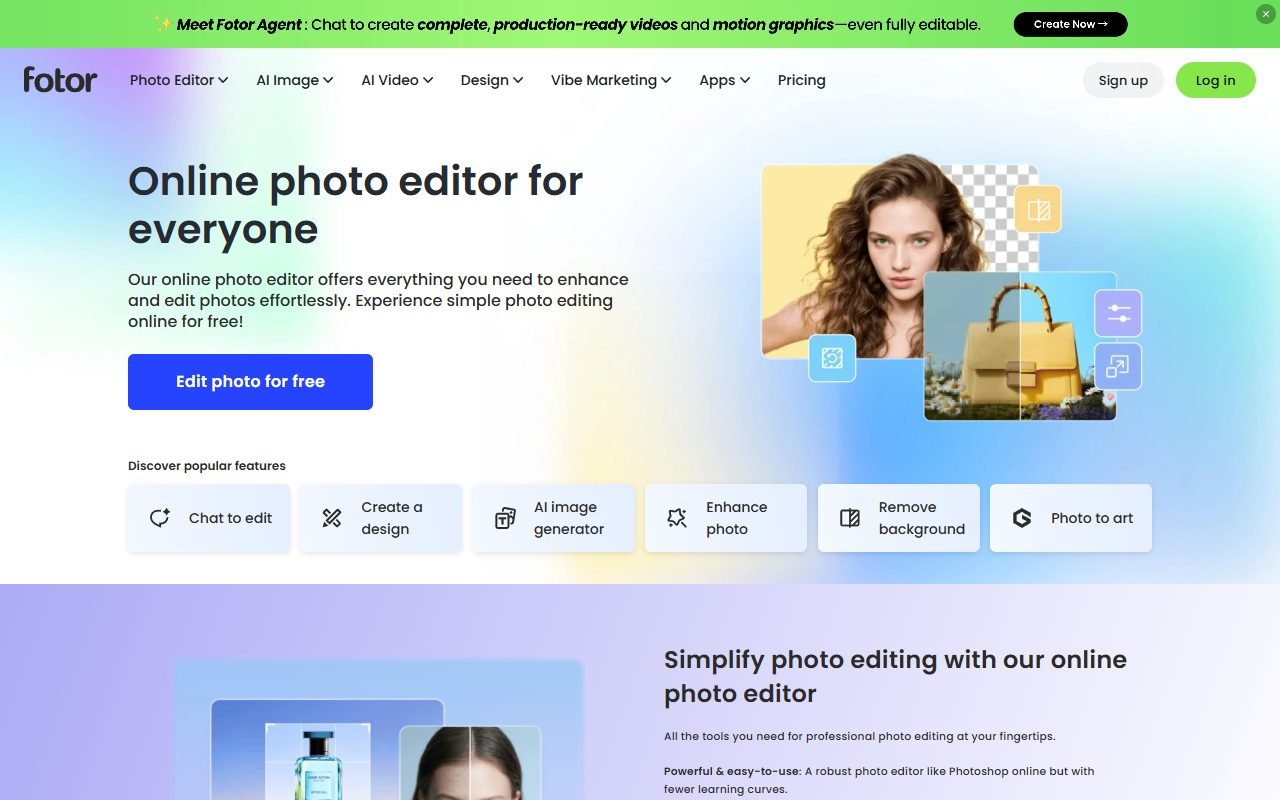
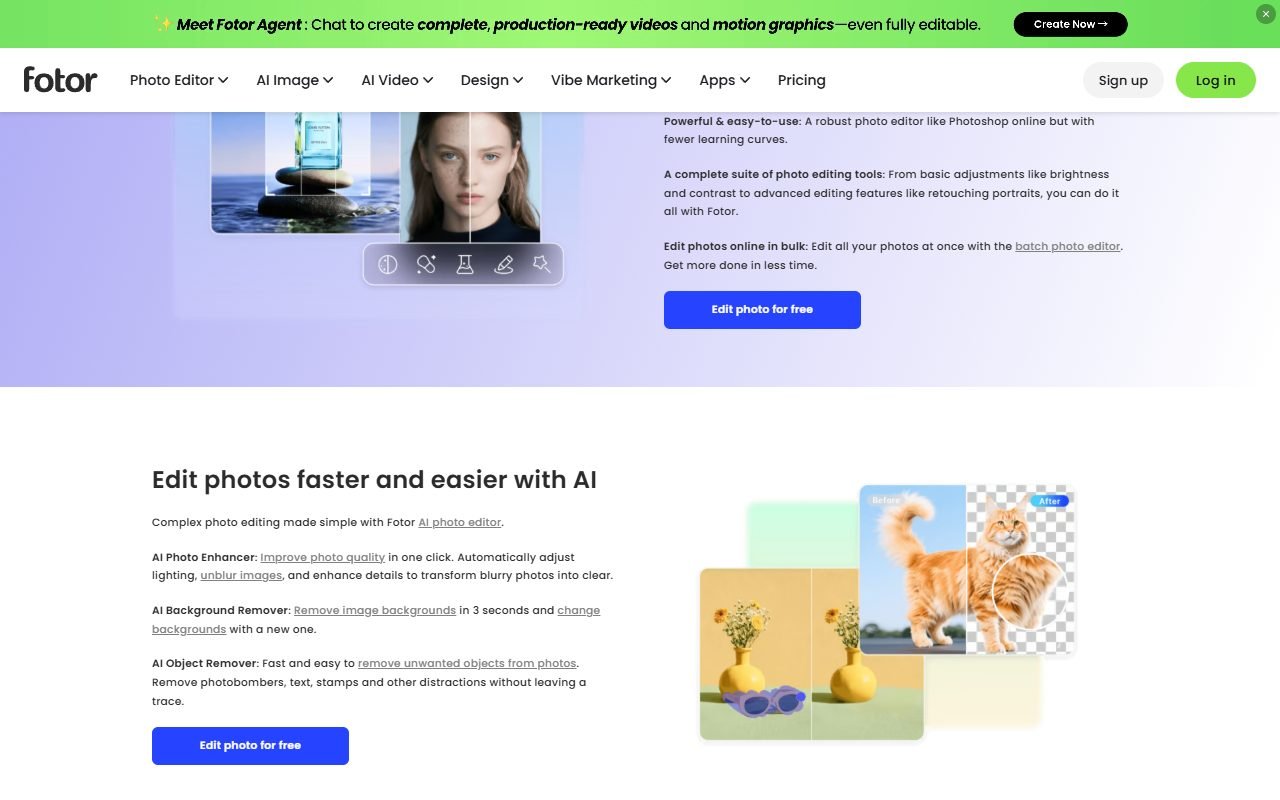
Fotor Page shows a photo editor, collage/design, background remover, enhancer, retouch, and several AI tools. This article is a product claim, not evidence that all modules work consistently or in a single plan. Buyers should specify the features they actually use before opening pricing.
Fotor is somewhere between a quick-click editor and a design suite for the average user. Suitable for editing one image or a small batch rather than organizing a complex asset pipeline. Having a template helps start the layout but does not replace the brand system and team approval.
Workflow: Product images that can be measured
Take five images of product bottles on different backgrounds. Delete the background, adjust the lighting, keep the edges transparent, and make the images 1:1, 4:5, and 9:16 with the same text. Export transparent PNG and JPG ready to use. Then open every file at 100% to check for halo, product colors, compression, and Thai characters.
Don't time only pressing the background erase button. Include the time to repair the edge. Adjust the colors to match the original, arrange the template, and name the file. The meaningful cost is the time it takes for an asset to pass brand review, not the time it takes to get the first preview image.
 Visit Fotor ↗
Who should try it first?
- Online stores that need to quickly prepare catalog images from the phone or the web
- social team which does resize and variation from the original key visual
- Freelancers who accept basic retouch work and do not send layered files to clients
- Beginners who want general image adjustment tools in one screen.
Photographers who need color management, prepress makers, retouchers who use complex masks, and teams with approval/versioning. It's worth comparing it to a desktop editor or Canva/Adobe workflow. Fotor may be more of a drafting tool than a source of record.
Background removal and AI enhancer
Smooth backgrounds with hard edges are often an easier problem than hair, clear glass, soft shadows, and colored items close to the scene. The test must include both easy and difficult cases. Don't select only the demo image. If the edge is wrong, see how thoroughly the brush/mask can correct that specific point.
Enhancer may increase sharpness and reduce noise, but it can create texture that is not in the original product. The selling image must be comparable to the original and not mislead the product details. for documents or faces AI-enhanced details should not be used as factual evidence.
AI generation and image editing
The text-to-image, replace or expand features can help create background concepts and fill in copy space, but the output may contain deformed objects. Logos similar to other people or elements that are not suitable for the Thai market. Keep the prompt, seed/model if any, and before-after files for traceability.
Do not use images with real people, brands, or intellectual property as input without permission. Read Fotor Terms along with the policies of the module used. Because access to the system is not a guarantee that the output will be free of claims from third parties.
Visit Fotor ↗Template and Thai text
Template reduces blank-canvas time but requires checking text area, font, and font copyright. And to cut Thai lines, use a 25-character headline, two-line description, and price in the same fixture and see how many ratios can be adjusted without rearranging.
The Thai support status of PickByTask is still not confirmed. You must try searching for Thai fonts. Placing vowels/tones, copy-paste and export them on the web and mobile phones separately. If the template supports English but the Thai characters are overflowing, the workflow should not be counted as passing.
Prices, credits and locked items
Fotor Pricing is the main source for current plans. Check watermark, export resolution, premium assets, batch tools, cloud storage and AI credits on the day of purchase. Credits may vary based on action and reproduction. Therefore, it is not a good idea to convert to “how many images” without testing.
Calculate a sample month of 100 product images with a background retry allowance of 20%, AI concept discarded at 70% and exported in multiple sizes. Including the cost of a rights inspector and repair time. If using the free plan for evaluation Don't assume the rights or qualities of paid features are not yet accessible.
What do external reviews say?
G2 and Capterra help make the assumption that users like the easy start. Quick image editing tools and templates, while customization, performance, paywall or export are topics worth investigating. Capterra, GetApp and Software Advice are in the same pool, so they are not three independent pools.
Trustpilot has a signal. subscription, cancellation and support, which must be read carefully. TechRadar provides an editorial view on usability/feature set but may reflect older models. It's safe to conclude that quick editing is a recurring strength, while AI consistency, plan friction, and precision work must be proven with fixtures.
Image, font and stock rights
A single piece may contain user-uploaded images, templates, stock, fonts, and AI output. Permissions for each layer are different. Store source URL/asset ID, plan entitlement, download date. and publishing destination Especially for advertising, merchandise and logos.
If no clear requirements are found for an asset, replace the asset or request confirmation. The term commercial use should not be interpreted as inclusive. The customer must also receive a list of transferable rights. It's not just the final JPG file.
Visit Fotor ↗Privacy for portraits and products that have not yet been released
Fotor Privacy Use this as a starting point for verification of collection and processing. Organizations should ask retention, deletion, training/opt-out, subprocessors, and region based on use cases before uploading images of employees, customers, or secret products.
Pilot uses fictitious product images and consenting individuals to test deletion of project/upload with account history. Do not assume that deleting from the screen is equal to deleting from every system until policy or service provider confirms.
Export and moving work out
Check PNG transparency, JPEG compression, dimensions, metadata and color shift. Open the file on mobile and other browsers. If you need to come back and edit, check to see if the project has saved the steps/mask or flattened it. Downloading the final image does not equal source portability.
Teams should keep the original project outside of Fotor with naming conventions and a final-approved folder. If plans are cancelled, test how the original project can be opened, downloaded, and modified premium assets. Information from Fotor Support must be verified for the current version.
Fotor compares to Canva, Photoshop and specialized tools.
Compare Canva when work requires multiple formats with brand templates/collaboration; Compare Photoshop when retouch, mask and source files are important; Compared to specialized background removers when the main task is a high volume catalog, the presence of an AI generator should not be the deciding factor if the team is only using resize and cleanup.
Use one set of images One time limit and one export spec, measuring accepted-edge rate, color error, Thai layout fixes, file size, and time. If the tool is fast but needs to be fixed in another program, include that handoff in the results.
Verdict that doesn't rely on advertising
Choose Fotor to experiment when your routine photos aren't complicated. Must be done on web/mobile. And the team values quick correction more than layer control. This tool has a reason to be on the shortlist for product images/social drafts.
Don't just choose from demo AI if product color, asset rights, or original files are the main requirements. Keep Photoshop/Canva. or job-specific tools in comparison and judged from actual output.
FAQ
Is Fotor free to use?
Check current pricing Free plans may have limited watermark, resolution, assets or credits. Therefore, it is not written that it can be used for free for every job.
Can you use AI images for advertising?
Terms, plans, input rights, and people/brands in the output must be checked individually. This article does not provide legal guarantees.
Does it support Thai fonts well?
There are no actual trial results yet. You need to try out tones, line wrapping, and export in real templates.
Is it a good replacement for Photoshop?
Great for some quick edits, but shouldn't replace work that requires layers, precise masks, color management, or handoff sources.
After canceling, is the file still there?
Check help/terms and export original and final before changing plans because access to project/premium assets may be different from the downloaded file.
Main source for review
Check Fotor, Pricing, Support, Terms and Privacy according to freshness interval. External reviews are used to find pattern/dissent It is not used to confirm price, credit, or rights.