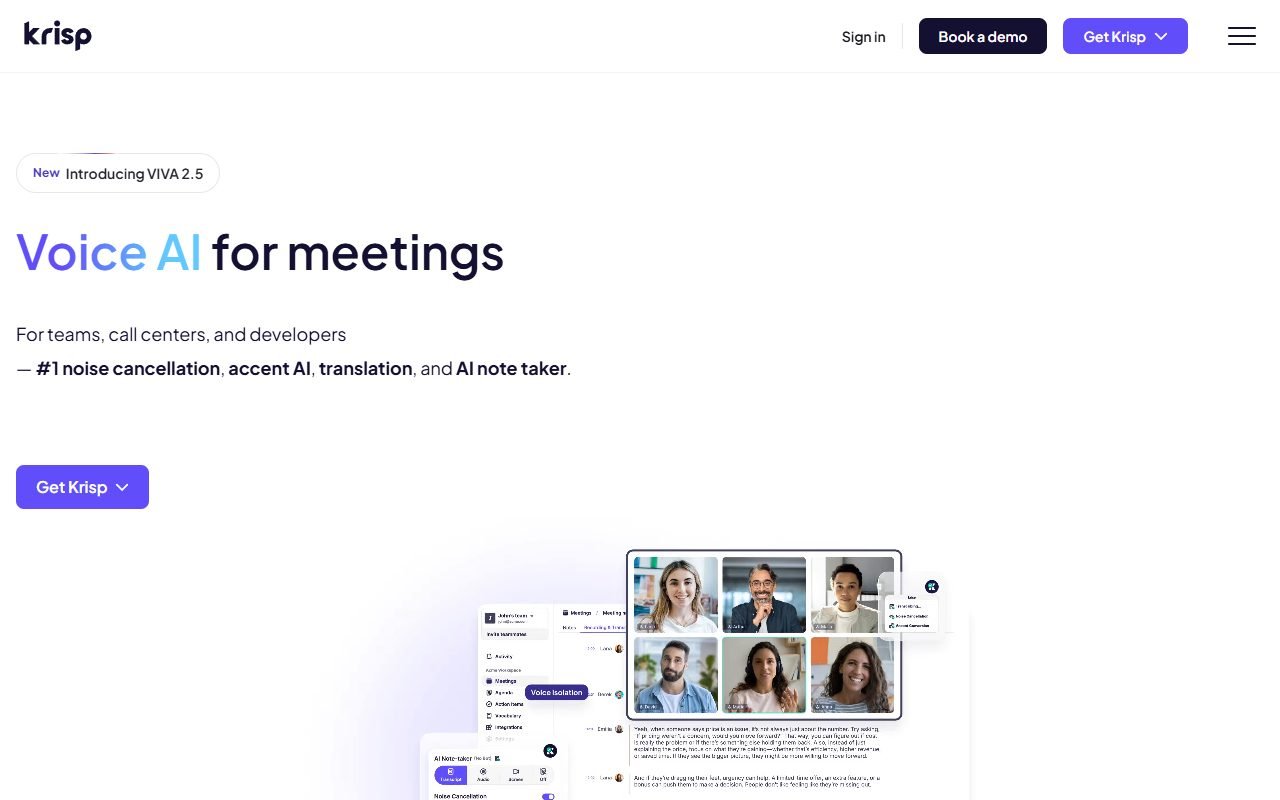
Krisp is worth evaluating for remote workers, sales teams, and customer-support staff who take calls in noisy spaces. Its product range includes noise, echo, and background-voice reduction. Test whether it makes speech clearer without removing quiet speech or consonants.
Use your actual microphone and environment, and check latency and computer load. Evaluate Thai support for transcription or Accent AI separately. The information was checked on 1 August 2026; PickByTask has not conducted a lab test.
Contents — jump to a section
Krisp doesn't have a single product.
The Krisp and AI Meeting Assistant pages describe noise, echo, and background-voice cancellation alongside transcription, meeting notes, and accent conversion. Voice translation and the call-center or SDK products require separate product checks because their pricing, data paths, and governance differ.
Scenario: Support Call The room is noisy.
Create a 15 minute simulated call with two Thai-English speakers, including fan, keyboard, café babble, remote speaker, echo and packet loss. Use reference tracks to separate speech/noise and record raw and Krisp output under the same device/network.
Listeners blind rate intelligibility, fatigue, speech distortion, missing consonant, background leakage, and delay. Tests include noise on/off, speaker/mic cancellation, and headset/room mic. If the sound is clean but Thai words are missing, it is considered a failure.
 Visit Krisp ↗
Audio Path and Failure Modes
| Layer | benefit | checkpoint |
|---|---|---|
| Virtual mic/speaker | Use with meeting/call app | device routing, reconnect, exclusive mode |
| Noise cancellation | Turn down the fan/keyboard/café. | speech clipping, musical artifacts |
| Echo cancellation | Reduce sound feedback | double-talk and speaker volume |
| Background voice | Reduce what other people say | Cut off participants who should be able to hear or not? |
| Meeting notes | transcript/summary | Thai/code-switch/grounded actions |
| Accent/translation | Adjust/translate sound according to product | meaning, identity, latency, disclosure |
| Admin/analytics | fleet/call quality | privacy, worker monitoring, role access |
Noise Cancellation: Don't measure by silence alone.
Use signal-to-noise/intelligibility together with human listening. Very quiet sound is not good if consonant/lost at the end of a word Testing pairs of words with different sounds in Thai. Numbers account/order and product names along with double-talk where the customer and agent talk over each other
Save CPU/RAM/battery, device switching, and end-to-end delay because old laptops or multiple layers of virtual audio chains can affect calls.
Background Voice and Team Context
Cutting out the noise of the people behind you helps. privacy/clarity But the system must not delete co-speakers in a room using the same mic. Set seating/use mode and a quickly accessible bypass button. Users must know that the sound they are hearing is being processed.
Visit Krisp ↗Meeting Notes and Thai language
If you enable transcription/summary, use the same rubric as Fireflies: name, price, date, decline, speaker and action owner. Check code-switch and call center terminology. Language list does not equal quality. Not having bots in the room may help etiquette, but the data processing/consent obligation is still there.
Accent AI and Voice Translation
Accent modification should increase intelligibility. Without causing speakers to be forced to conceal their identity or be underestimated because of their accent, test semantic preservation, names, numbers, emotion, latency and fatigue for employees to use, not use as a disciplinary metric.
Voice translation must include disclosure in a context where the interlocutor may understand that it is the original voice and human fallback when the terms/price/safety are mistranslated.
Price and TCO
Check Krisp pricing date of purchase. Separate individual Free/paid meeting assistant from Business/enterprise, call center or SDK that may contact sales. Check minutes, devices, AI features, seats/admin and billing terms.
| Cost | Measurement |
|---|---|
| Seat/plan | active users/admin and annual/monthly |
| Audio/meeting | minutes/features/limits |
| Hardware | CPU/headset/device replacement |
| QA | listening samples, transcript corrections |
| Deployment | install policy, updates, help desk |
| Contact center | agents, concurrency, SDK/integration/analytics |
Measure cost per call that passes quality rubric and reduce repeat/contact—not Only the number of minutes open
Review Consensus
G2, Product Hunt, and editorial/user reviews praise noise removal, ease across conferencing apps, and usefulness to remote calls. Users tend to notice more immediate results in environments with static noise, such as a fan/keyboard, than in complex noise situations.
Capterra/GetApp/Software Advice is the only independent Gartner pool. Ratings are not averaged and provider benchmarks do not replace Thai fixtures.
Visit Krisp ↗Dissent and Edge Cases
Trustpilot/community/editorial feedback mentions audio distortion/robotic, high CPU, device/routing issues, limits/billing and support. Children's voices/music/people speaking near the microphone or overlapping are edge cases that must be preserved.
One person's review results may differ due to mic, OS, and noise profile. Therefore, test setup must be reported every time.
Privacy, Consent and Worker Monitoring
Read Privacy, Security and Terms according to the product/data path before recording/transcription/analytics. Check local/cloud processing claim per feature, not generalizations from noise cancellation to meeting notes/translation.
In the call center, notice, retention, role, purpose must be defined and prohibit the use of accent/talk metrics to judge employees without passing fairness and legal examinations. Recording/transcript must have a legal basis/consent according to the jurisdiction.
Security and Enterprise Deployment
Check installer/update source, device permissions, virtual driver, SSO/admin roles, logs, export/delete, subprocessors and incident processes. Test offboarding and disable features that policy does not allow. Do not allow agents to use personal accounts with customer calls.
Export and Operational Continuity
Noise processing is a real-time path, so there is no "project export" editor. Instead, the team must have a bypass/fallback device, an authorized raw diagnostic sample, a configuration inventory, and meeting-note export/delete. If Krisp is out of business, calls can be resumed by turning off the virtual device.
Decision Matrix and Choices
| Need | Krisp fit | Compare |
|---|---|---|
| Real-time noise/echo cleanup | High when lab/device test passes | Teams/Zoom built-in, hardware DSP |
| Meeting search/CRM intelligence | moderate | Fireflies, Otter |
| Bot-free meeting notes | Worth trying. | local recorder/other assistants |
| Thai accent conversion | Not yet confirmed | no processing + better mic/training |
| Call-center fleet | enterprise evaluation | vendor QA/CCaaS tools |
| Offline/confidential call | Check data path | hardware/local processing |
Internal links: /compare/fireflies-vs-krisp/, /compare/krisp-vs-built-in-noise-cancellation/ and recording consent manual
Verdict
Try Krisp when noise is a measurable problem and the team uses multiple call apps. Start with actual headset/device/noise profiles and have a bypass. Choose a plan after measuring speech distortion/latency, not just listening to the demo.
Choose Fireflies when search/CRM recap is more important than audio path, or fix hardware/acoustics first when the source signal is very bad.
FAQ
Is Krisp free to use?
Free/paid according to current pricing under minutes/features Must check application date
Does Krisp work with Zoom/Teams/Meet?
virtual audio workflow supports apps based on docs/OS but requires actual device routing/version testing
Can you cut out all the sound?
No, results depend on mic, noise, overlap, device and model. Speech clipping/artifacts may occur.
Does Krisp support Thai language?
Noise cancellation is not like transcription/accent support. You have to check each feature and test Thai.
Does Krisp record audio or send it to the cloud?
Answer separately according to feature/product/data path from policy/docs. Do not generalize. You must check configuration/contract.
Resources and freshness
Official: homepage, pricing, AI Meeting Assistant, privacy, terms, security price/minutes 30 days feature/data path 60 days policy 90 days reviews 90 days
External review sources used in this synthesis
These links represent external reviewers or users, not PickByTask endorsements. Read them alongside official facts, checked dates, and any conflicting evidence.
- 1. https://www.g2.com/products/krisp/reviews
- 2. https://www.capterra.com/p/202466/Krisp/
- 3. https://www.trustpilot.com/review/krisp.ai
- 4. https://www.producthunt.com/products/krisp/reviews
- 5. https://dupple.com/tools/krisp
- 6. https://nubiapage.com/krisp-review-2026-windows-login-app-window-download-user-experience-and-faqs/
- 7. https://www.reddit.com/r/buhaydigital/comments/1d8g99f/is_krisp_worth_it_other_noise_cancelling_apps_you/